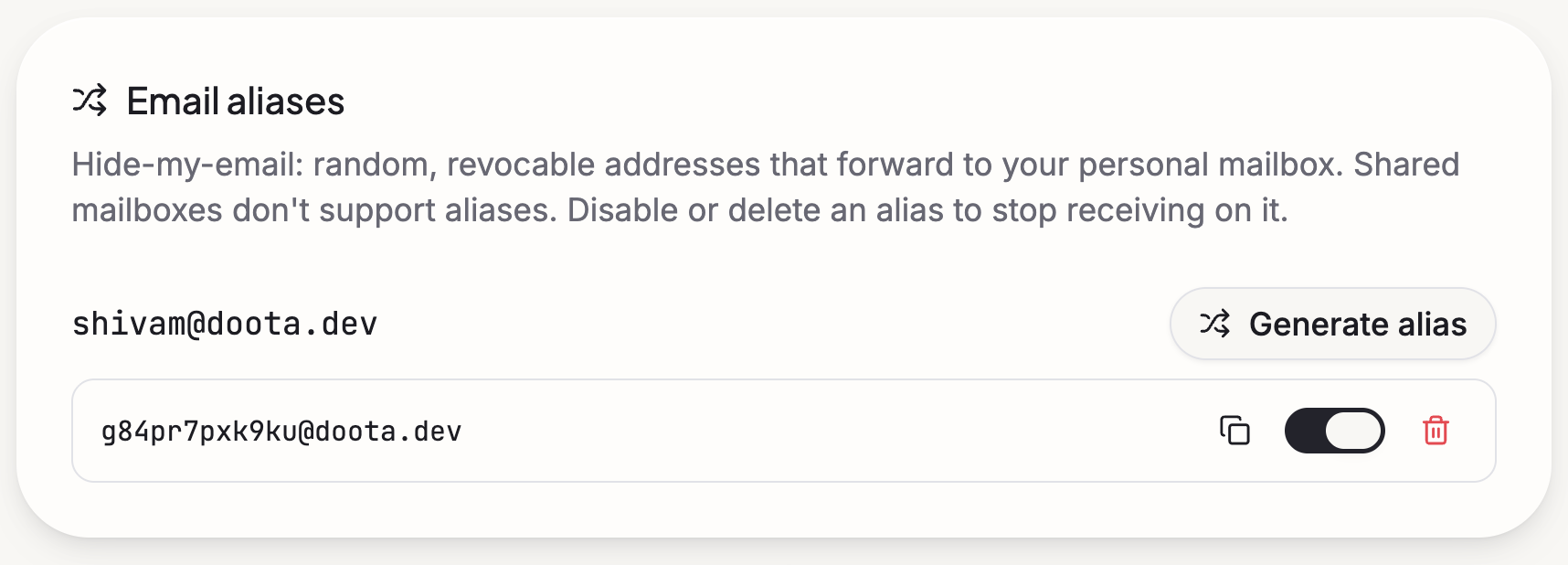
An extra address (an alias) is another email address on your domain that lands in your mailbox. Think of it as a disposable address: give a different one to each shop, service, or newsletter. If one starts getting spam, switch it off — and your real address never got exposed.
You’ll find these under your account settings.
How they work
- An extra address like
shopping@yourcompany.comdelivers straight into your mailbox, alongside everything else. - You can see which address a message came in on, so it’s easy to tell who’s been sharing your address around.
- You can also reply from an extra address, so the other side only ever sees that one — not your real inbox.
Making one
Open your mail settings
Go to your account settings and find the addresses section.
Create the address
Pick the part before the @ — say newsletters — and Doota makes
newsletters@yourcompany.com for you.
Hand it out
Use it when signing up for things. Replies you send from it keep your real address private.
Switching one off
Turn off an extra address whenever you like. From then on, mail sent to it is quietly turned away — no bounce-back drama, and nothing new clutters your mailbox.